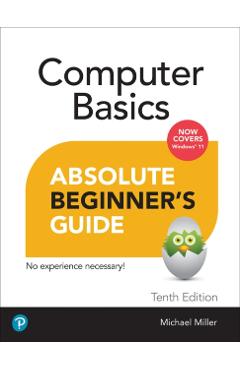
Computer Basics Absolute Beginner's Guide, Windows 11 Edition - Mike Miller
Cod EAN 9780137885770
Preț
150,61 lei
167,34 lei
−10%
Fără reducere reală
Cel mai mic preț din cele 9 zile dinainte de 22 octombrie 2026 a fost 133,87 lei, mai mic decât acum. Reducerea de −10% e calculată față de prețul vechi afișat de magazin (167,34 lei).
Peste prețul mediu din ultimele 26 de zile
Media: 149 lei. Cel mai mic preț a fost 133,87 lei, ultima dată pe 21 octombrie 2026; acum e cu 13% mai mult. Vezi istoricul
la Libris
- Transport gratuit peste 135 lei
- Cupon de 10% la abonarea la newsletter
- Retur extins la 30 de zile
În stoc la Libris Prețuri actualizate la 22 octombrie 2026, 16:05
Oferta disponibilă
Prețurile și disponibilitatea sunt preluate automat de la magazine și se pot schimba. Când cumperi printr-un link de pe site, putem primi un comision de la magazin, fără niciun cost în plus pentru tine. Cum funcționează
-
Computer Basics Absolute Beginner's Guide, Windows 11 Edition - Mike Miller
În stoc
150,61 leiCel mai mic preț înainte
167,34 lei
Istoricul prețului
| Perioada | Cel mai mic | Cel mai mare | Prețul mediu | Scăderi |
|---|---|---|---|---|
| De când îl urmărim (26 de zile) | 133,87 lei | 150,61 lei | 149 lei | 1 |
Vezi schimbările de preț
| Din data | Cel mai mic preț |
|---|---|
| 22 octombrie 2026 | 150,61 lei |
| 20 octombrie 2026 | 133,87 lei |
| 13 octombrie 2026 | 150,61 lei |
Descriere
\nMake the most of your Windows 11 laptop or desktop computer--without becoming a technical expert! This book is the fastest way to get comfortable, get productive, get online, get started with social networking, make more connections, and have more fun! Even if you've never used a Windows computer before, this book shows you how to do what you want, one incredibly clear and easy step at a time. Computer basics have never, ever been this simple! \n Who knew how simple using computers could be? \n \n This is today's best beginner's guide to using your computer or tablet with the Windows 11 operating system...simple, practical instructions for doing everything you really want to do! \n Here's a small sample of what you'll learn: \n * Set up your computer and personalize the Windows 11 Start menu and desktop \n* Connect to the Internet and browse the Web with Microsoft Edge \n* Get started with social networking on Facebook, Twitter, Pinterest, and LinkedIn \n* Video chat with Zoom and Microsoft Teams \n* Use Windows 11's built-in apps--and find great new apps in the Microsoft Store \n* Connect printers and external storage \n* Connect to a home wireless network or public Wi-Fi hotspot \n* Go online to shop and sell--including ordering food and groceries online \n* Get work done quickly with Microsoft Office \n* Organize, view, and share photos \n* Listen to streaming music with Pandora and Spotify \n* Watch streaming movies and TV shows with Amazon Prime Video, Disney+, HBO Max, Hulu, Netflix, and more \n* Protect yourself against viruses, spyware, and spam \n \n\n
Descrierea este preluată de la magazin.